
How do I create a complete test report?

Provide athletes with comprehensive reports
Following a test with ZONEX, the PAIRFS software allows you to write a complete test report.
View a test report here: link to a sample report .
Enter user information
Select your test in "Analyze tests".

First, enter your athlete's data in "Athlete Info". Fill in Last Name, First Name, date of birth, weight, height and comment(s).
Enter the protocol
You took a free test or an outdoor test:
Verify that the protocol is correctly edited. Without a protocol, your test report will appear incomplete and some data will be incorrect.
See our article: "How to add exercise data to ventilatory data?"
Adjust the thresholds
Adjust the ventilatory thresholds using the various tools in the PAIRFS software.
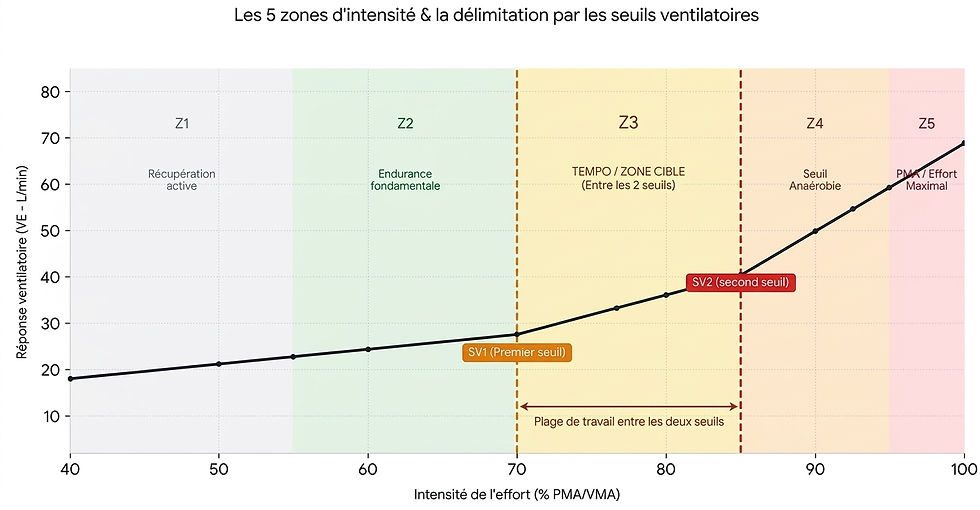
The thresholds will appear on the first page of the report. They are associated with an intensity of effort.
See our article: "How to analyze data to determine ventilatory thresholds?"
Generate the report
Click on "Export data". You can choose to "Create a PDF" or "Publish on the PAIRFS website" with a unique URL.
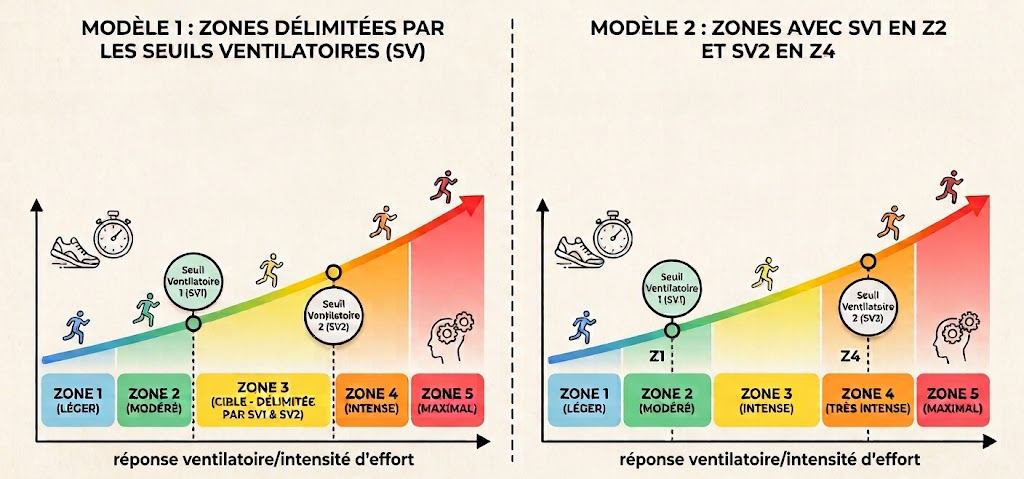
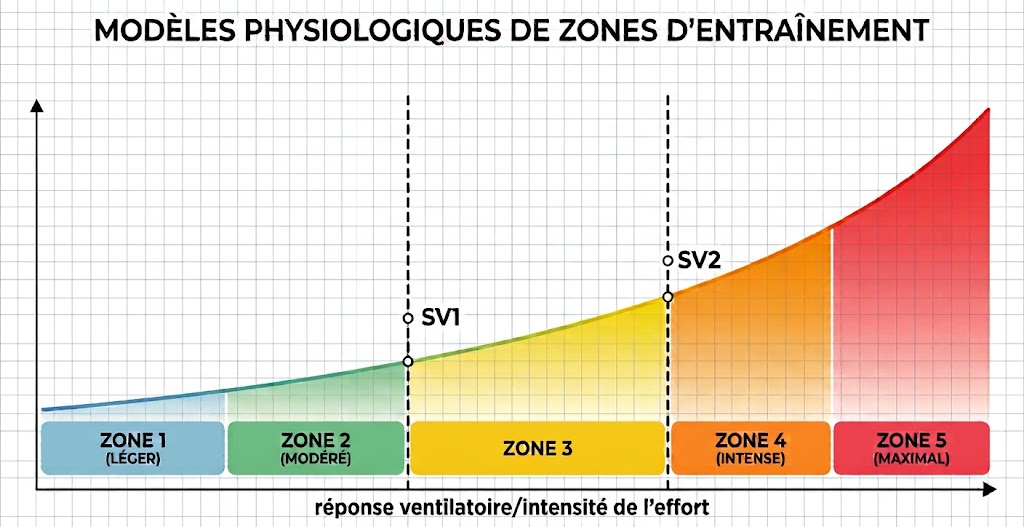
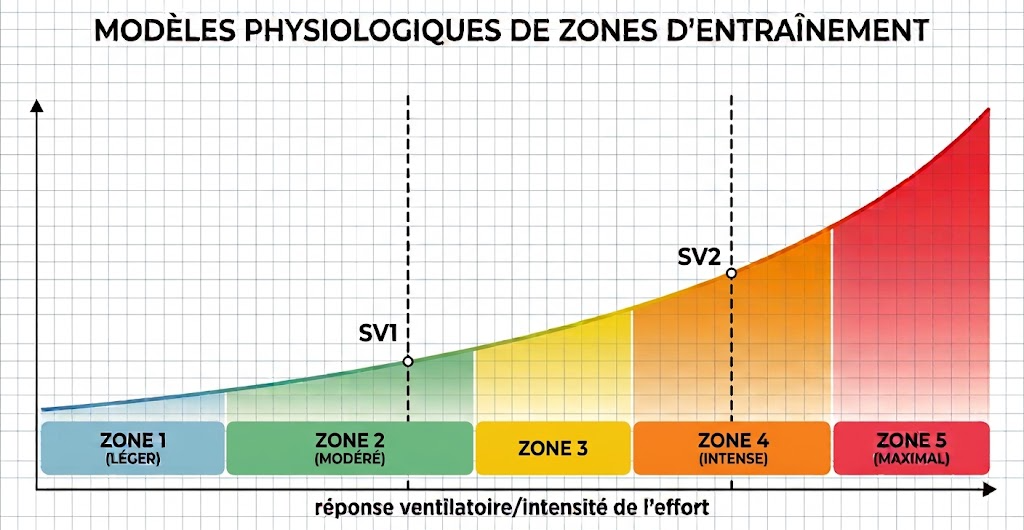
Before generating the protocol, choose which areas the athlete wants to work on.
You can now generate the report.


Comments